


10 Powerful WordPress Lead Generation Plugins To Boost Your Conversions (2018)
- Prateek Jain

- Aug 7, 2018
- 8 min read
Did you know that over 70% of visitors who abandon your website will never return?
If you’ve checked your website analytics recently, then you’ll see that figure is right.
For most of us, 75% of people who visit don’t come back.
If your figures look like that, then you need to start turning those visitors into leads.
So, in this post, we’ve collected a boat load of lead generation plugins for WordPress to help you do just that.
To make it easier for you, we’ve broken it down into five sections:
You can dive into a particular section, or you can stay for the whole ride.
Let’s get started.
List building plugins
Building your email list is the best way of building a healthy relationship with your readers. You have a solid way of keeping fans informed of your latest articles and exclusive offers.
Bad News: None of the email marketing platforms have good opt-in forms.
Good News: There are some excellent WordPress list building plugins
All the plugins reviewed here make it super-easy to attract readers’ attention and collect their details. Plus, they all integrate with the major email service providers.
1. Thrive Leads
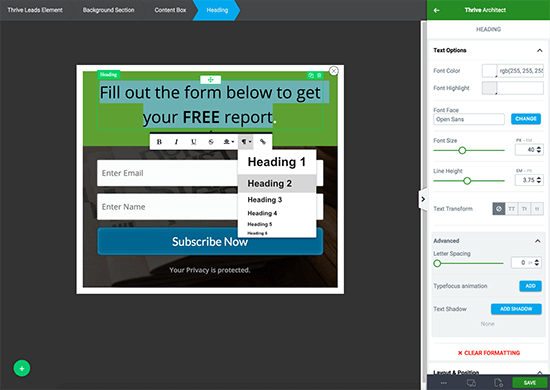
Thrive Leads is a powerful list building plugin.
It’s jam-packed with features that make it a great all-in-one solution.
On the front end, you can display Lightbox Popups, Sticky Ribbons, Inline Forms, Slide-In Forms, and both 1-Step and 2-Step Opt-in Forms.
Behind the scenes, you can customize forms with a drag-and-drop editor, set up A/B Testing to see which types work best, and deploy Advanced Targeting to display relevant forms by post, category or tags.
Features:
Drag-and-drop editor allows for advanced customization
Digital Asset Delivery: Send lead magnets to your subscribers
A/B Testing: Test different form types against each other
Smartlinks: Show different content to existing subscribers
Multiple themed templates available for each opt-in form type
Various opt-in form types such as ribbon, lightboxes, inline, widgets, and slide-ins
Supports multi-state opt-in forms
Reporting dashboard gives you essential insights
Integrates with most popular email marketing services
Price: $67/site, $97/5 sites, $147/15 sites (includes lifetime updates + 12 months support). Included in the Thrive Themes Membership for $19/month (paid annually).
2. OptinMonster

OptinMonster is not just a WordPress plugin. It’s a complete web-based app.
You can manage most things from your dashboard, but there is also a WordPress plugin to help with additional page targeting features.
It has various opt-in form types such as Sidebar Widgets, Lightbox Popup, and Fullscreen Welcome Gate.
OptinMonster is perhaps best-known for its ‘Exit Intent’ Popup. It detects user behavior and prompts them with a targeted campaign as they are about to leave a web page. You can see it in action here. You can see it in action here.
Features:
Great selection of templates for your forms
Easy-to-use editor with form preview
Set up split tests from within your dashboard
Multiple form types such as floating sidebars, slide-ins, lightbox popups and more
Use MonsterLinks feature to display 2-step opt-in forms
Page level targeting: display certain forms on specific pages or categories
Access your analytics to see how your forms are performing
Integration with all the leading email providers
Price: Basic $19/month or $9/month (paid annually), Plus $29/month or $19/month (paid annually), Pro $39/month or $29/month (paid annually)
3. Optin Forms

Optin Forms is the free list building plugin from Fancy Themes. It doesn’t have as many features as some of the premium WordPress plugins, but it’s a good starter option.
Optin Forms is an easy-to-use solution that anyone can install and start using straight away. There is nothing complicated about it. You select your email solution, pick a form design and customize its appearance.
It comes with five pre-designed templates that you can customize. You can change all texts, fonts, and font sizes. And you can alter the colors of any element via the color picker.
Once your opt-in form is ready, you can choose where to place it on your posts and pages; e.g. after the first paragraph, at the end of the post. You can also exclude it from displaying on specific posts and pages.
Optin Forms currently works with the following primary email solutions:
AWeber, iContact, MailChimp, GetResponse, MadMimi, Interspire Email Marketer, and ConvertKit.
Features:
Easy setup
Fully Customizable
Widget Friendly
Targeted Form Placement
Mobile Responsive
Integration with 7 email services providers
Price: Free
4. Sumo (previously SumoMe)
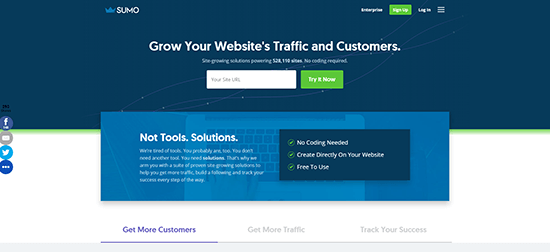
Sumo is another free list-building app that is popular with the WordPress community.
In fact, it’s more like a toolbox of apps, but there are four that are suitable for list building:
List Builder – Displays elegant popovers
Welcome Mat – Full-screen opt-in forms that convert like crazy
Scroll Box – Displays an opt-in form as a visitor scrolls down the page
Smart Bar – Adds a notification bar at the top or bottom of the page
Sumo works on any HTML website, but it comes with a helpful WordPress plugin to get you started.
The paid version unlocks extra features such as extra templates and split testing etc. But you do get an incredible amount of value inside the free version.
Features:
4 specific list building apps
Displays opt-in forms based on page level targeting
Integrates with popular email providers
Optimized for mobile devices
Download your new subscribers via CSV (no need to connect an email provider)
Access to other apps such as Content Analytics and Heatmaps – all designed to give your traffic and conversions a boost
Price: Free with paid plans to unlock extra features and remove branding
Landing page plugins
A landing page has one clear goal. Conversion.
The conversion might be gaining email subscriptions, or selling products or services.
The best way to get that conversion is to create pages that only focus on achieving the desired outcome. By that, I mean remove all other distractions like sidebars, menus, and adverts.
Creating conversion-focused landing pages in WordPress is easier with these terrific landing page plugins.
Let’s take a look…
5. Thrive Architect

Thrive Architect is a page builder plugin that will enable you to create landing pages with ease. No need for a developer or expensive SaaS software.
At the time of writing, there are over 150 Landing Page Templates in their library, and it’s growing.
But what’s more impressive is that the templates come in Template Sets. So, for instance, a landing page design has a corresponding thank you page and confirmation page. This helps to keep your branding consistent.
There are two lead generation options; either the traditional 1-Step or the conversion-boosting 2-Step. For the 2-Step Opt-in you can use the built-in Thrive Lightbox functionality. Or if you’re a Thrive Leads customer, you can use your existing shortcode designs.
Features:
150+ templates ordered in sets to make branding easy
Drag-and-drop visual editor for easy customization
Create and reuse your saved templates
Supports 1-Step and 2-Step opt-in forms
Add Thrive Leads opt-in forms to your landing pages
Integrates with most email providers via API and HTML forms
Mobile responsive designs so you can deliver a great experience to your visitors
Price: $67/site, $97/5 sites, $147/15 sites (includes lifetime updates + 12 months support). Included in the Thrive Themes Membership for $19/month (paid annually).
6. OptimizePress

OptimizePress comes packaged as both a WordPress Theme and Plugin. So you can use all the design features within in its own theme or use it as a standalone plugin with another theme.
You get over 30 customizable templates included. You can see your landing page design in real-time with the WYSIWYG ‘Live Editor.’ This is a great time-saver as you don’t need to save and load a preview every few minutes.
Features:
Drag-and-drop editor for easy landing page creation
30+ customizable templates
40+ different page elements
Supports 1-Step and 2-Step Opt-in forms
Integrates with most email providers via API and HTML forms
Includes a WordPress theme and Membership plugin
Optional subscription-based OptimizePress monthly club offers new landing page templates each month
Price: Core $97/3 sites, Publisher $197/10 sites, Pro $297/30 sites
7. Beaver Builder

Beaver Builder comes packaged as both a WordPress Theme (Pro Package) and Plugin. So you can use all the design features within in its own theme or use it as a standalone plugin with another theme.
The interface is straightforward to use. There are 30 pre-designed templates and a blank template to help you create your landing page.
There aren’t many landing page templates that you’d use for typical lead generation purposes. Most focus on homepage themes for small businesses, law firms, etc.
But, there is a blank template, so you can add a lead generation option to your landing page with the slick editor.
Features:
Drag-and-drop interface shows you exactly how the finished page will look
Choose which devices certain elements appear responsive on
Plenty of beautiful templates to help you in the landing page creation process
Add WordPress widgets straight onto your landing pages
Add elements such as opt-in forms, calls to action, contact forms, pricing tables, and maps to your pages
Beaver Builder theme available on the Pro package
Integrates with popular email providers via API connection only
Price: Standard $99 (plugin), Pro $199 (plugin and theme)
Note: There is also a lite version of Beaver Builder available on WordPress.org. The free version gives you a good taste of what the premium version has to offer. For some, it may be enough to do what you need, but the editing options are quite restricted.
8. Leadpages

Leadpages is not a WordPress plugin. It’s a web-based app that is ideal for creating and deploying landing pages on any HTML website. It connects to WordPress with the help of a plugin.
The landing page featured in the image above took around 5 minutes to create using Leadpages.
Leadpages has over 70 mobile responsive landing page templates for every industry. They include templates for webinar pages, squeeze pages, sales pages, thank you pages and more.
Each page is customizable with the drag-and-drop editor, so you can move each element around as you wish.
Features:
Web managed platform – build landing pages in one central location
Create landing pages fast with the help of an intuitive editor
Choose from over 70 incredible templates
Use Leadboxes on any website
Digital Asset Delivery to email PDF downloads to new subscribers
Built-in analytics to track conversions
Easy A/B split testing (on Pro or Advanced accounts)
Integrates with the primary email service providers
Price: From $37/month or from $17/month (paid every 2 years)
Call to action plugins
Applying a Call To Action (CTA) on your website will prompt your visitors to take action.
If you can create a stronger sense of urgency on your landing page, then you can successfully spur people to do what you want them to do on your page (i.e., convert). Neil Patel
Adding urgency to that CTA with a countdown timer will boost conversions further. Here are two WordPress plugins that you can install today.
9. Thrive Ultimatum

Thrive Ultimatum is a WordPress plugin that promises to boost your conversions by applying the most effective marketing principle: scarcity.
We’re all afraid of missing out. When we see the ‘limited offer’ or the ‘countdown timer’ ticking away, then we feel compelled to buy now.
Thrive Ultimatum comes with a set of ready-made templates. Every template is customizable with the intuitive, drag-and-drop visual editor. Just click to edit any element, set custom colors, background images, custom fonts and much more.
It’s packed with features to cater for all types of campaign. For instance, 7-Day Offers, Christmas Special, and End Of Month Specials.
What makes it more powerful are the triggers that you can apply to each campaign. For example, campaigns for first-time visitors or campaigns for new subscribers.
Features:
Pre-made design templates which look good straight out of the box
Easy customization with the visual editor
Campaign Types: Fixed Date / Recurring / Evergreen / Multi-Page
Countdown Timer: Widget Area / Floating Header Bar/ Floating Footer Bar
Time zones supported
Multiple trigger types
Mobile responsive designs
Price: $97/site, $147/5 sites, $399/15 sites. Included in the Thrive Themes Membership for $19/month (paid annually).
10. WP Notification Bar

WP Notification Bar is a custom notifications and alerts plugin for WordPress that displays a sleek message bar on your website. It can help you grow your email list, manage marketing promotions, increase your social media following or expand the audience for specific pages on your site.
The plugin comes with 14 pre-defined color schemes to get you up and running. But you can edit colors as you wish with the color picker.
There are many different types of notification bar. For instance, Text and Link, Post Content, Subscribe Box, Social Media Follow, Countdown Timer, and Search Form.
You can display your notification bars on specific posts and pages to make them relevant. You can also exclude your notification bars from certain visitors. For example, those arriving from search engine or a specific social network.
Features:
Easy to Use
Lightweight
Unlimited Notification Bars
Multiple Notification Types
Fixed or Absolute Position
Includes 18 Social Networks
Display on selected Posts / Pages
Unlimited Color Choice
Custom HTML Support
Price: $29
There is also a free version too with plenty of features.
Contact form plugins
Contact Forms offer an alternative way for people to get in touch with you. And the big advantage is that you don’t have to reveal your email address.
But they don’t have to be simple ‘contact me’ forms. You can also create ‘request a quote’ forms, ‘order’ forms and more.



Comments